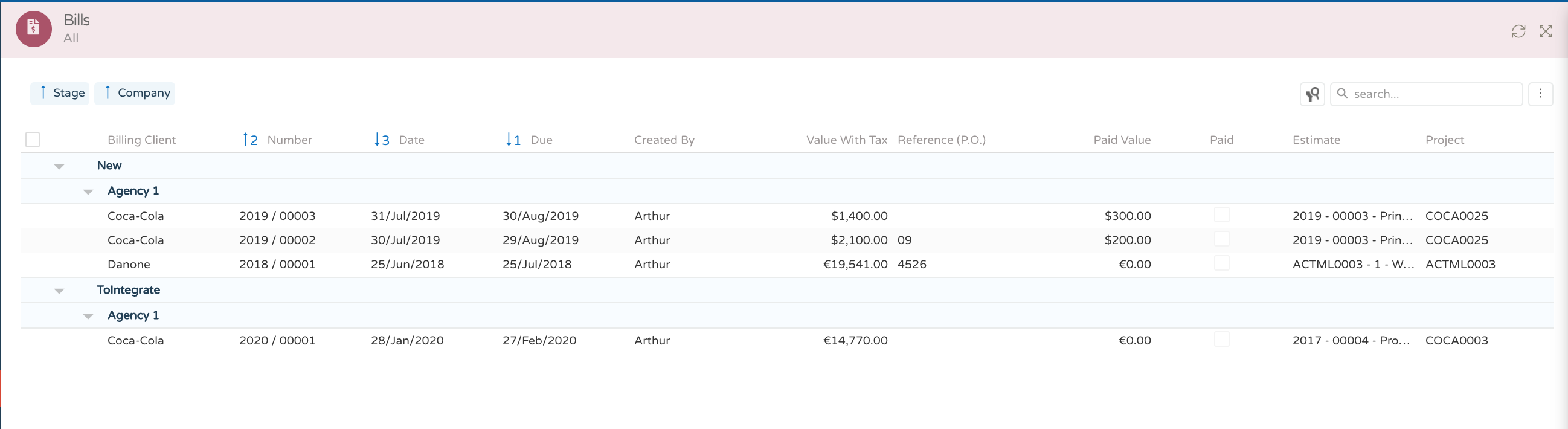
Invoice Authorizations
You can create invoice orders in the system, and in this way inform the financial team to proceed with the creation / synchronization of the document to the external financial system, and generate the final invoice.
What the system generates is an invoice request, not a final invoice, it must always be generated in the financial system (Primavera, Sage, NAV, SAP, etc.).
Definition of billing conditions:
General conditions
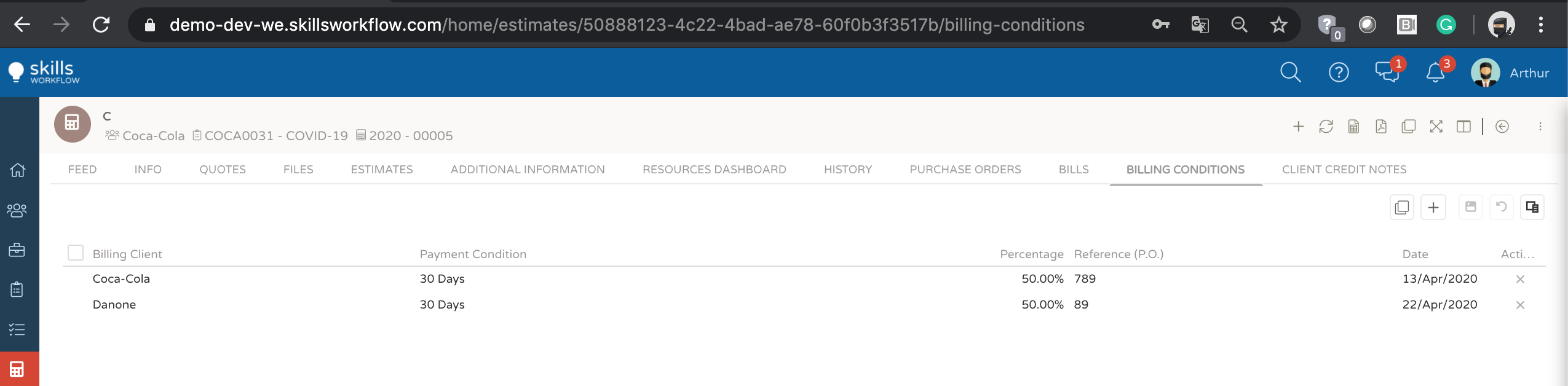
To issue a billing request, within the budget approved by the customer, you must navigate to the billing conditions option. If the commercial customer has the financial customer associated, the system will automatically suggest the customer and pre-defined payment terms. You can define the percentage of billing, reference (PO customer) and dates. Note that if you have more than one billing condition for most budgets, you can add as many lines as you like and even have different customers. After establishing the billing conditions you want to apply, navigate to the feed, and change the status of the workflow to bill, generating the necessary invoice authorization(s).
Conditions for delivery
You can define different billing conditions for the customer's deliverable lines.
Therefore, if you have, for example, an annual fee budget, in which you generate an invoice monthly, you can make the annual billing plan, if you have the customer's PO.
In the general billing conditions, you should click on apply to all. The system will apply the conditions defined in the general option to all deliverables to the customer.
You can go to each of the lines, press the details option, and manipulate the information of each of the lines if necessary, setting for example the dates or PO.
In the example mentioned above for annual billing plans, you must handle dates and PO's
You can define conditions on the lines either by percentage or by value.
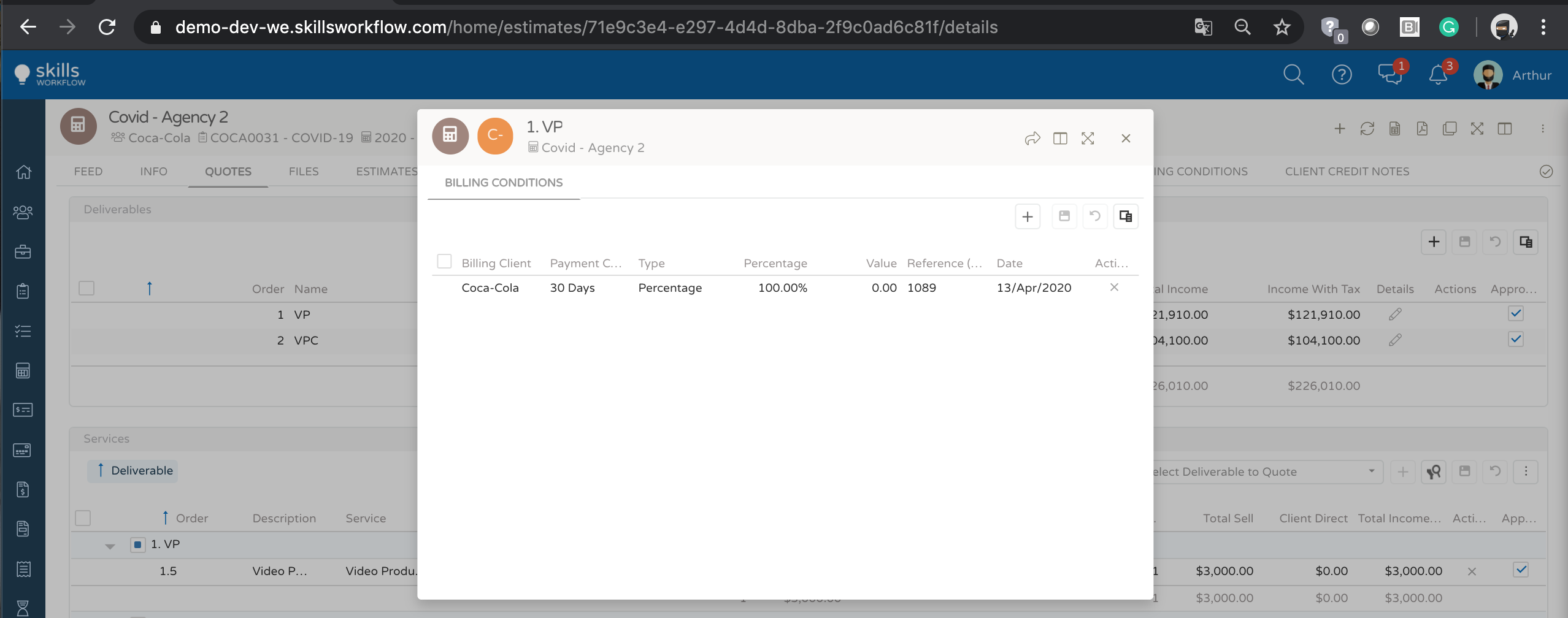
If the billing conditions are the same for more than one approved line, when you go to the feed and adjust the flow to "bill" the system generates an invoice with two lines.
If the billing conditions are different for all lines, the system will generate as many invoices as defined conditions.
When navigating to the feed and changing the status of the workflow to "bill" the system will issue as many invoices as are defined in the billing conditions. To consult them, you can navigate to the invoices area.
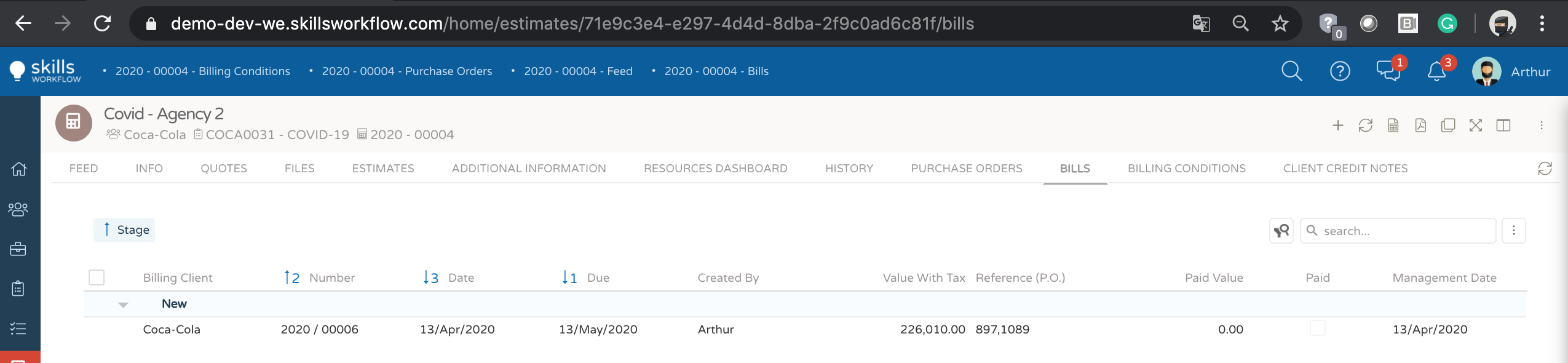
Note that the invoice authorization will be sent to the external financial system by issuing the final documents.
If an integration with the financial system is activated, the number field will be external updated with the final number. You can import the PDF of the invoice, for quick access to the document sent to the customer. To validate the final document that your invoice authorization generated, you must validate the status of the document (integrated) and the field with the external number.
To print you must navigate to the invoice permission document, clicking on the line you want to validate.
The system will show the details of the document, values, contracted service, etc.
To print just click on the pdf option in the upper right corner, and a PDF document will be generated that you can download and send by email if necessary

Invoice authorization detail
You can also consult the list of all your invoice authorizations by browsing the modules in the browser on your left.
In the list of invoice authorizations you can apply several filters, such as: customer, project, budget.