How automations start
An Automation Workflow does not run on its own. Something has to start it, and what starts it decides what the first action has to work with.
System events
A workflow can be attached to an event raised by Skills Workflow, such as a document being created or moving stage. The event's payload arrives as the request body and is read through {{['#HttpRequest'].Body}}.
Use this when the automation is a business rule: notify a channel when a project is created, push a deliverable to an external system when it reaches a stage.
Webhooks
A webhook can name an Automation Workflow as its destination. The external system calls the webhook, and the workflow receives the whole request, not just the body.
{
  "Scheme": "https",
  "Host": "integrationworkflow-skills-dev-we.azurewebsites.net",
  "Path": "/api/tenants/{tenantId}/integration-workflows/{AutomationId}/execute",
  "Method": "POST",
  "Query": {
    "TenantName": ["playground-dev"]
  },
  "Headers": {
    "Accept": ["application/json"]
  },
  "Body": {
    "parameter": "value"
  }
}
Every part of that is reachable: {{['#HttpRequest'].Method}}, {{['#HttpRequest'].Query.TenantName}}, {{['#HttpRequest'].Headers.Accept}}, and so on.
Because the caller waits for an answer, webhook-triggered workflows usually end in a Result action that returns a real status code and body. See Result.
Requiring authentication
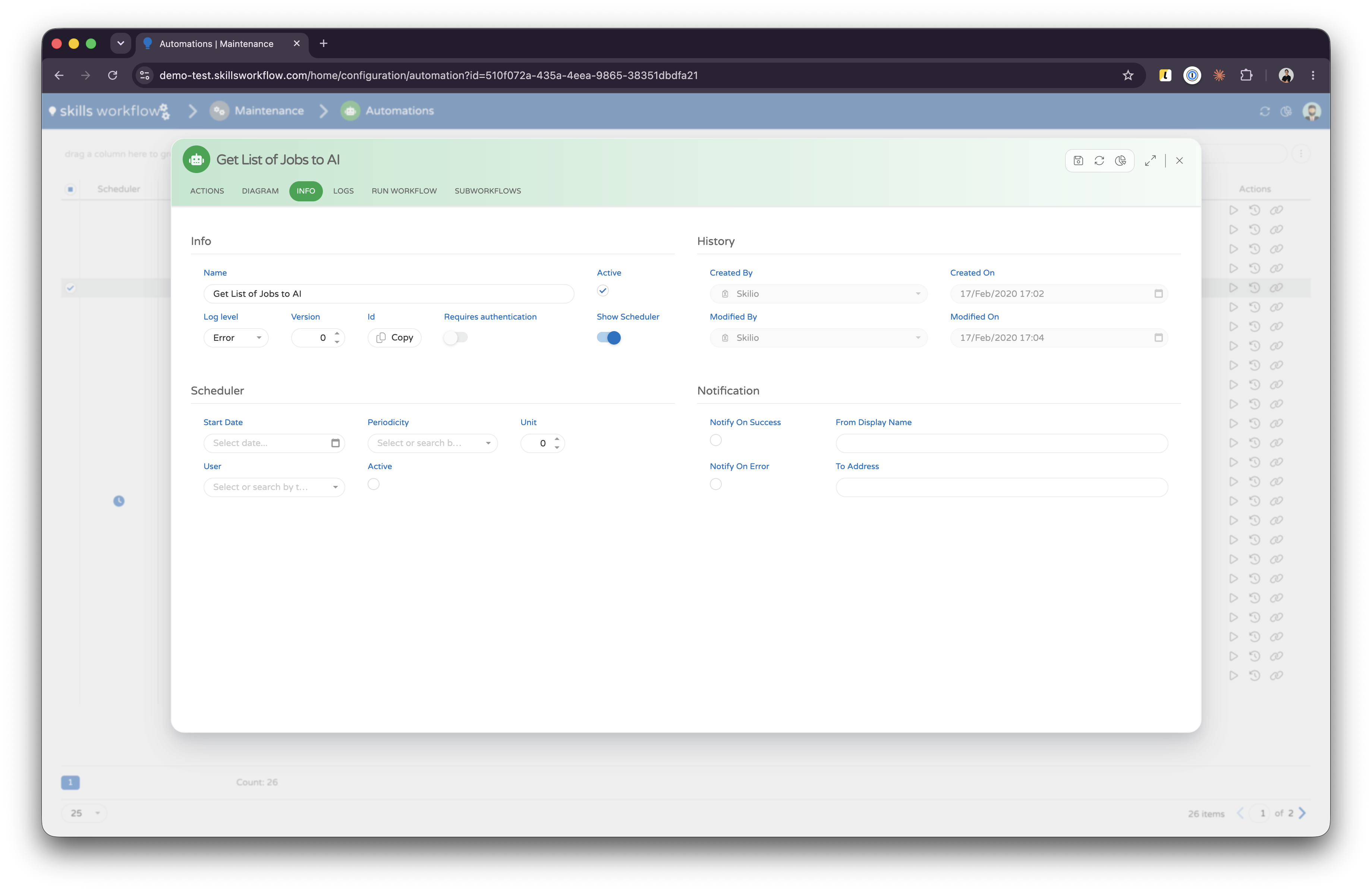
requiresAuthentication on the workflow controls whether the inbound call must be authenticated. Leave it on for any endpoint reachable from outside.
Schedules
A workflow can carry a scheduler block and run on a cadence, with no event and no caller. This is how recurring syncs are built.
| Field | Meaning |
|---|---|
unit | How many periods between runs. Must be greater than zero. |
periodicity | Minutes, Hours, Days, Weeks or Months. |
startDateUtc | When the schedule begins. Cannot be left at its default. |
userId | The user the run executes as. Cannot be an empty GUID. |
isActive | Whether the schedule is currently running. |
notification | Optional notification settings for the run. |
{
  "name": "SyncSuppliersNightly",
  "active": true,
  "logLevelType": "Info",
  "requiresAuthentication": false,
  "scheduler": {
    "unit": 6,
    "periodicity": "Hours",
    "startDateUtc": "2026-01-05T02:00:00Z",
    "userId": "0f3b9c21-6d0e-4a55-9d6c-0b1f8b7d2a44",
    "isActive": true
  },
  "actions": []
}
A scheduled run has no inbound request, so {{['#HttpRequest']}} holds nothing useful. Fetch what you need in the first actions instead, and use SetParameter to hold values the later chain depends on.