Grid
A sub namespace of UI, exclusive for grid operations
//accessing to ui.grid methods
SW.UI.Grid.{methodName}
addToolbarButtons
Description
This method can be to add buttons in the grid toolbar.
Method(s)
1 function addToolbarButtons(toolbarEvent: any, buttonsList: Button[]): void;
| Parameter | Type | Required | Defaults | Description |
|---|---|---|---|---|
toolbarEvent | any | true | The target dataGrid | |
buttonsList | Button | true | Buttons to add |
Basic Usage
SW.UI.Grid.addToolbarButtons(toolbarEvent, buttonsList);
calculatePercentageSummary
Description
This method can be used to calculate summaries with percentages.
Method(s)
1 function calculatePercentageSummary(options: any, dividend: number[], divisor: number[]): void
| Parameter | Type | Required | Defaults | Description |
|---|---|---|---|---|
options | any | true | Summary options | |
dividend | number[] | true | Array of dividends | |
divisor | number[] | true | Array of divisors |
Basic Usage
SW.UI.Grid.calculatePercentageSummary(options, [1,2,3], [4,5,6]);
Response
delete
Description
This method can be used to delete grid rows.
Method(s)
1 function delete(documentName: string, dataGrid: dxDataGrid, params: { idField?: string } = {}): void
| Parameter | Type | Required | Defaults | Description |
|---|---|---|---|---|
documentName | string | true | Document name | |
dataGrid | dxDataGrid | true | Target datagrid | |
idField | string | false | Field to delete |
Basic Usage
SW.UI.Grid.delete("company", dataGrid);
expandCollapseRows
Description
This method can be used inside any workspace. To expand or collapse specified Grid rows.
Method(s)
1   function expandCollapseRows(dataGrid: dxDataGrid,
2       params: {
3           expandPriority?: boolean
4       } = {
5           expandPriority: true
6       }
7   ): void
| Parameter | Type | Required | Defaults | Description |
|---|---|---|---|---|
dataGrid | dxDataGrid | true | Target datagrid | |
expandPriority | boolean | false | true | Flag to set if the rows are to expanded or collapsed instead |
Basic Usage
SW.UI.grid.expandCollapseRow(dataGrid.component);
Response
exportToPdf
Description
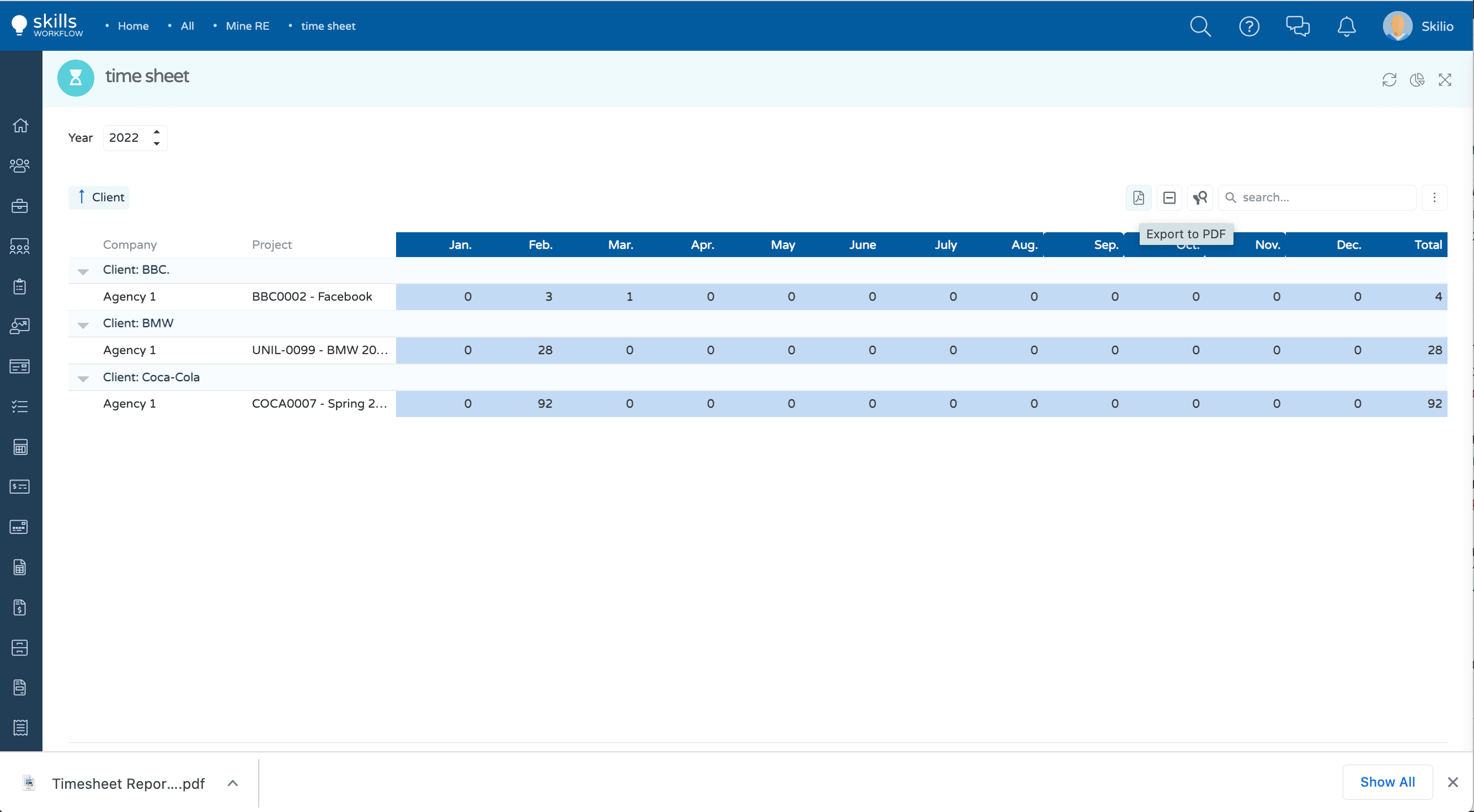
This method allows the grid to be exported as PDF.
Method(s)
1 public exportToPdf(
        dataGrid: dxDataGrid,
        fileName: string,
        pdfDataGridOptions: PdfExportDataGridProps = {},
        pdfOptions?: jsPDFOptions
    );
| Parameter | Type | Required | Defaults | Description |
|---|---|---|---|---|
dataGrid | dxDataGrid | true | Target datagrid | |
fileName | string | true | Chosen file name | |
pdfDataGridOptions | PdfExportDataGridProps | true | PDF Grid related options | |
pdfOptions | jsPDFOptions | false | PDF exporting options |
PdfExportDataGridProps
| Parameter | Type | Required | Defaults | Description |
|---|---|---|---|---|
autoTableOptions | object | false | Options of the generated PDF table. Refer to the jsPDF-autoTable plugin documentation to see the full list of available customizations. | |
selectedRowsOnly | boolean | false | Specifies whether or not to export only selected rows. | |
keepColumnWidths | boolean | false | Specifies whether columns in the PDF file should have the same width as their source UI component's columns. |
jsPDFOptions
| Parameter | Type | Required | Defaults | Description |
|---|---|---|---|---|
orientation | string | false | "p" | "portrait" | "l" | "landscape" | Defines the orientation of the grid. |
Basic Usage
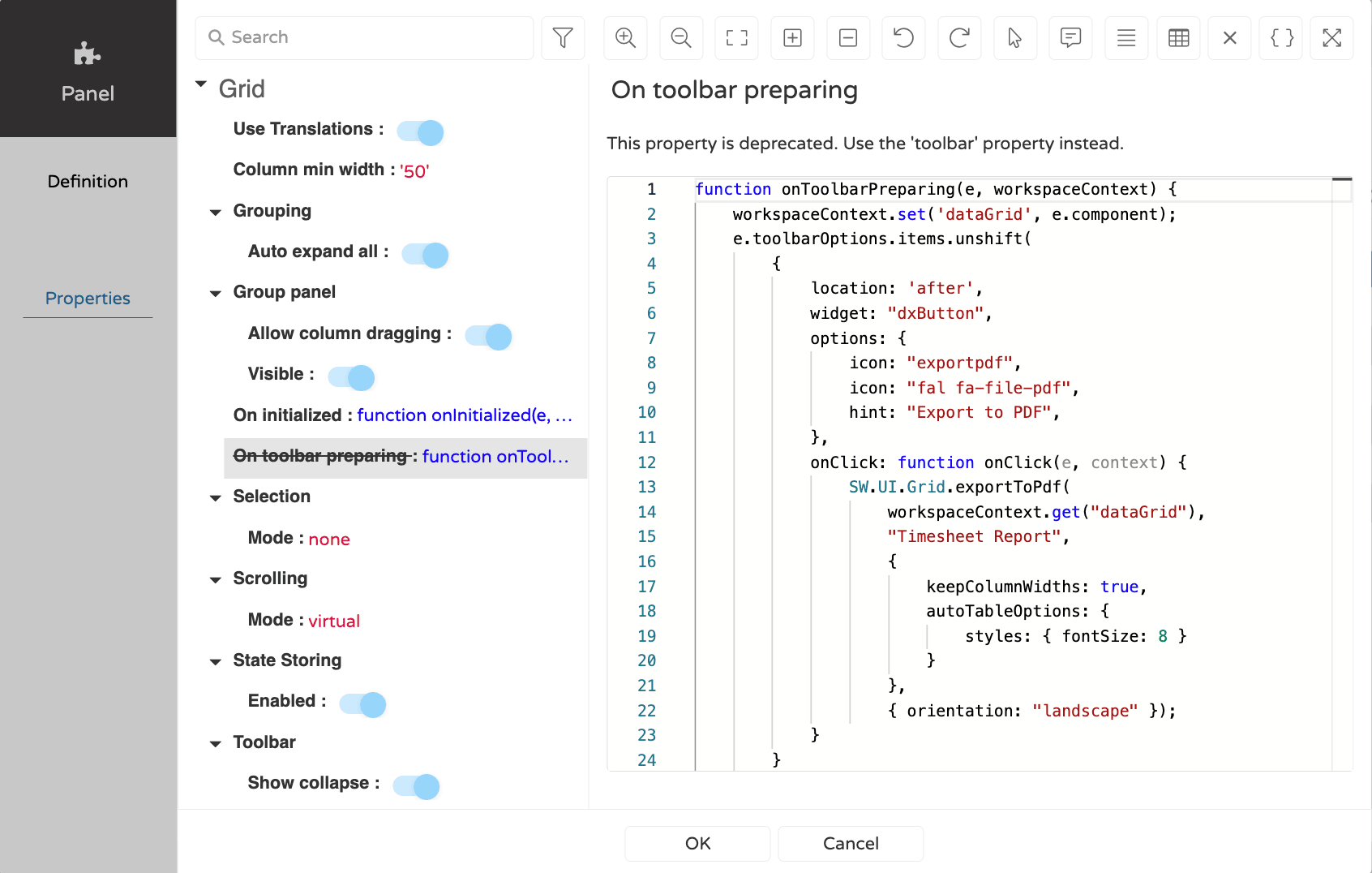
    SW.UI.Grid.exportToPdf(
        workspaceContext.get("dataGrid"),
        "Timesheet Report",
        {
            keepColumnWidths: true,
            autoTableOptions: {
                styles: { fontSize: 8 }
            }
        },
        { orientation: "landscape" });
Example
importExcel
Description
This method can be used to import a xlsx file into a datagrid.
Method(s)
1 function importExcel(fileUpload: any, grid: dxDataGrid): void;
| Parameter | Type | Required | Defaults | Description |
|---|---|---|---|---|
fileUpload | any | true | File to be uploaded | |
dataGrid | dxDataGrid | true | Target datagrid |
Basic Usage
SW.UI.grid.importExcel(file, grid);