Brief Validator
The Brief Validator reviews a marketing brief before work starts. It identifies the information that is missing or unclear and checks the brief against instructions that your agency maintains for that client. It gives feedback only; it does not create or change a deliverable.
Availability
An agency administrator must add the Brief Validator to the AI Assistant and enable the get_client_brief_instructions tool. To validate against client-specific rules, provide the client context with the brief. Without client context, the agent can give general feedback but cannot retrieve that client's instructions.
How to use it
- Open the AI Assistant and select Brief Validator.
- Paste the brief and identify the client, or keep the relevant client context available.
- Ask the agent to validate the brief.
- Add the details it identifies, then ask it to validate the brief again.
The result should focus on what is missing or unclear. It should not invent requirements or start creating the marketing asset.
Add client briefing rules
Create the instructions file in the selected commercial client's own file area. The ai-instructions folder sits directly under that client's root folder; place brief-instructions.md inside it.
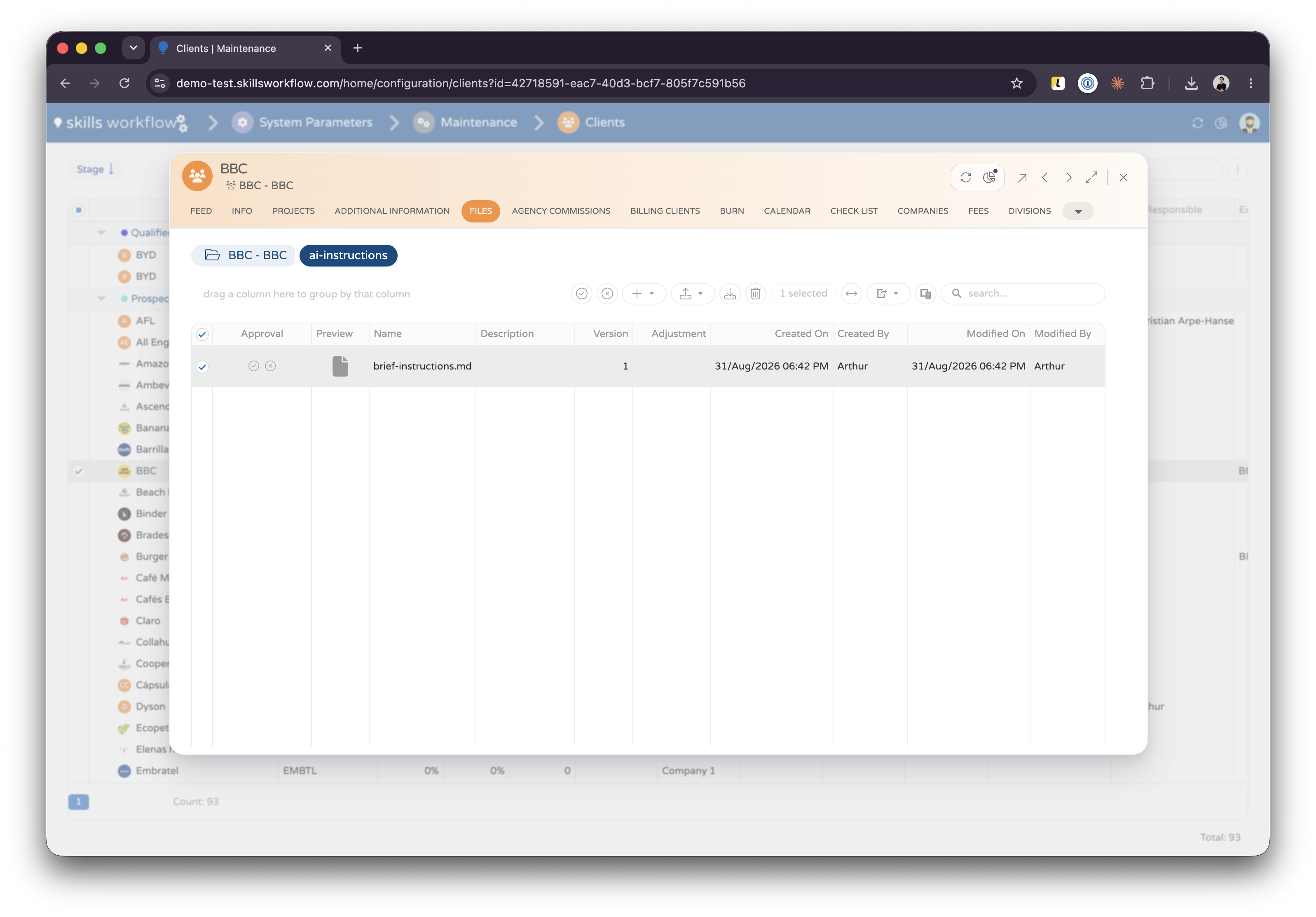
ai-instructions folder and the brief-instructions.md file.Use the exact folder and file names shown in the image. This is a client-level file, not a shared tenant skill or an attachment in the chat.
Keep the instructions focused on the information a usable brief needs. State explicitly when a value may be absent, such as No call to action or No specific client rules, so the agent does not ask for it unnecessarily.
How the validation is assembled
- The user selects Brief Validator and supplies a brief with client context.
- The agent calls
get_client_brief_instructionswith that client. - The tool opens the client's file area, finds the
ai-instructionsfolder and readsbrief-instructions.md. - The tool returns the file content to the agent. The agent uses those rules to review the brief and returns the validation feedback.
The tool looks only in this location. It does not scan other client files, chat attachments or the tenant's $ai-agents/skills folder. If the folder or file is missing, empty, or cannot be read, client-specific rules are not available and the agent can only give general brief-quality feedback.
What the user receives
With the example policy below, a complete brief returns passed with a summary. A brief with missing or unclear information returns failed and asks only for the details that are needed. In both cases, the agent does not create the deliverable.
Example client instruction file
The following is an example of a marketing-brief standard that an agency can adapt for a client. It is not a universal template: add the client’s own brand, legal and approval requirements where they apply.
# Brief instructions

Validate whether the brief contains enough information to prepare a clear
marketing deliverable. Do not create the deliverable until the brief passes.

A brief must identify:

1. **Deliverable** — for example, one Instagram feed post, an email or landing page copy.
2. **Objective** — the result the deliverable should achieve.
3. **Audience** — who it is for.
4. **Main message** — the idea it should communicate.
5. **Call to action** — what the audience should do next, or `No call to action`.
6. **Client rules** — tone, required wording, restrictions or `No specific client rules`.
7. **Deadline** — a specific date or timing.

Return `failed` when a required item is missing or unclear. List only those
items and ask for the information needed. Return `passed` when the brief is
complete, then summarize the approved brief. Do not invent missing details.
For example, We need some content is not a usable deliverable description. We need one Instagram feed post is specific enough for the validation to continue.