AI Memories
The AI Assistant carries what it has learned about you from one conversation into the next: a preference you stated, a rule your team follows, the client most of your work belongs to. It uses that to fill in later requests instead of asking you the same question every time.
Memories are yours. They are stored on your user, inside your tenant, and nobody else on your team can read them.
Open Manage Memories from the panel menu. The screen has three tabs.
Saved
The facts, preferences and rules the assistant holds, newest first. A line above the list counts them against the 100 the store allows. Use the search box to find one in a long list.
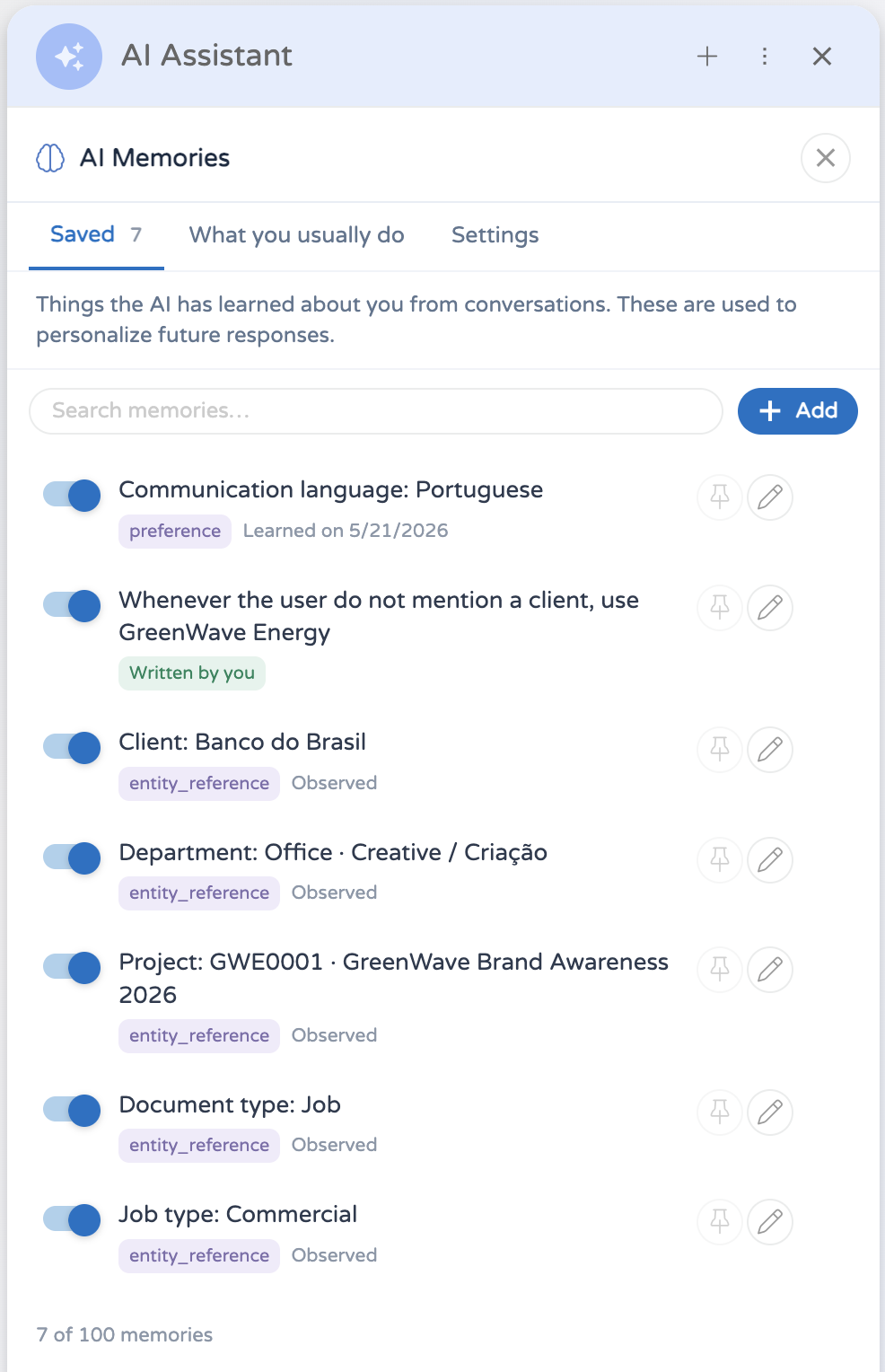
Each row carries the badges that apply to it: Pinned, Written by you, Observed, and Off for one you have switched off. Underneath it says Learned on and the date.
Four controls sit on every row:
- The switch turns the memory off. The row stays where it is, keeps its provenance, and stops being sent to the assistant.
- Pin memory protects it. A pinned memory never expires and is never removed automatically.
- Edit memory opens it for rewriting.
- Delete memory removes it for good.
Add writes one yourself. Type what the assistant should know, choose a Type of Preference, Rule or Fact, and pin it if you want it protected. A memory you write or edit is treated as confirmed: it never expires, and it is never dropped to make room for a newer one.
What you usually do
Every document you create through the assistant is counted against the client, project, department, job type and document type it used. This tab is the record of that, grouped by field, with each entity showing how many creations it accounts for and when you last used it.
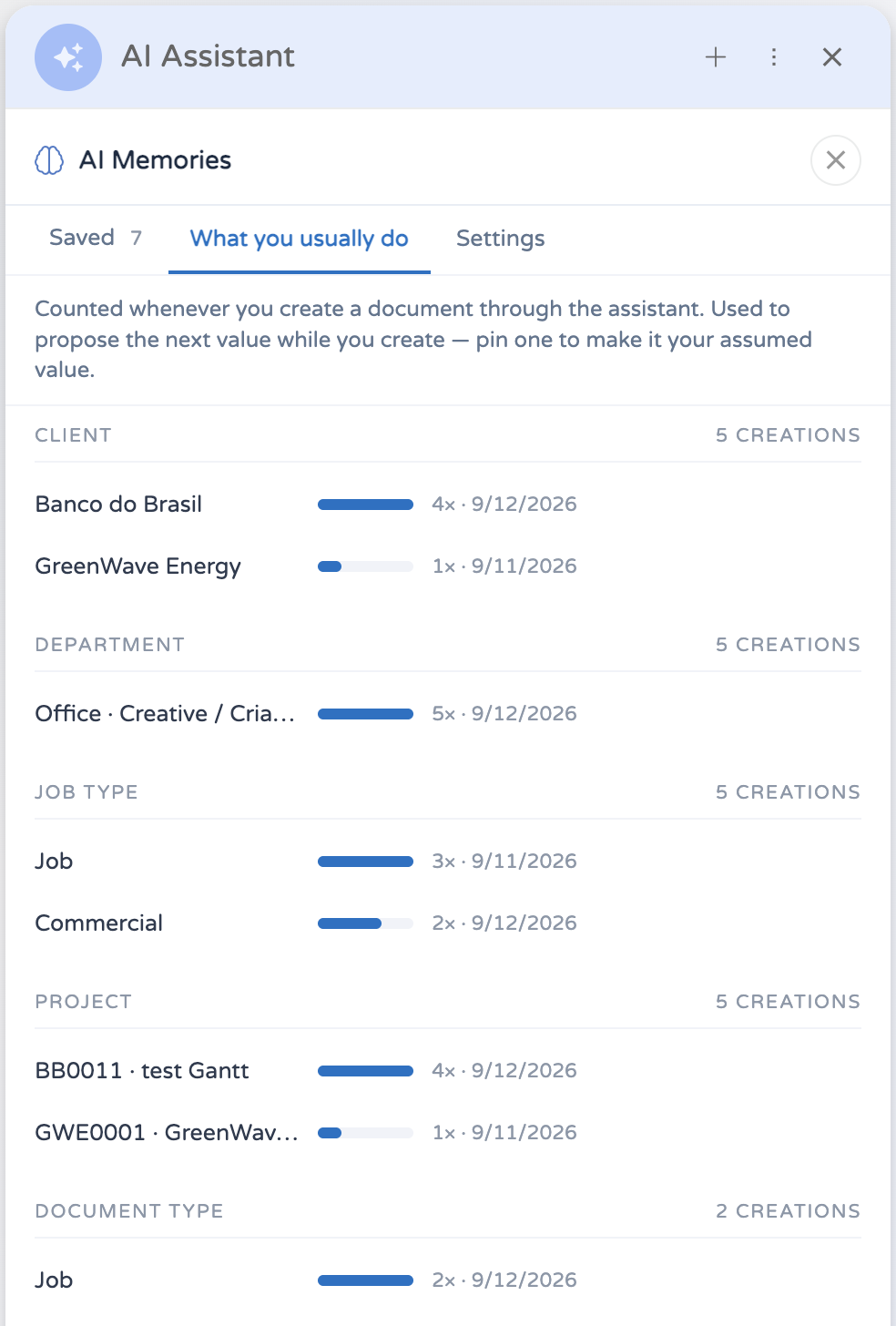
Use always makes an entity your assumed value for that field. Its row is badged Always, it leads its group, and it is proposed ahead of whatever you have simply used most often. Stop using always takes that back and keeps the accumulated count.
Forget deletes the entry. The count goes with it and the entity stops being proposed.
A creation is counted once. Nothing is added by reopening a conversation or by the assistant restating what it already did.
Settings
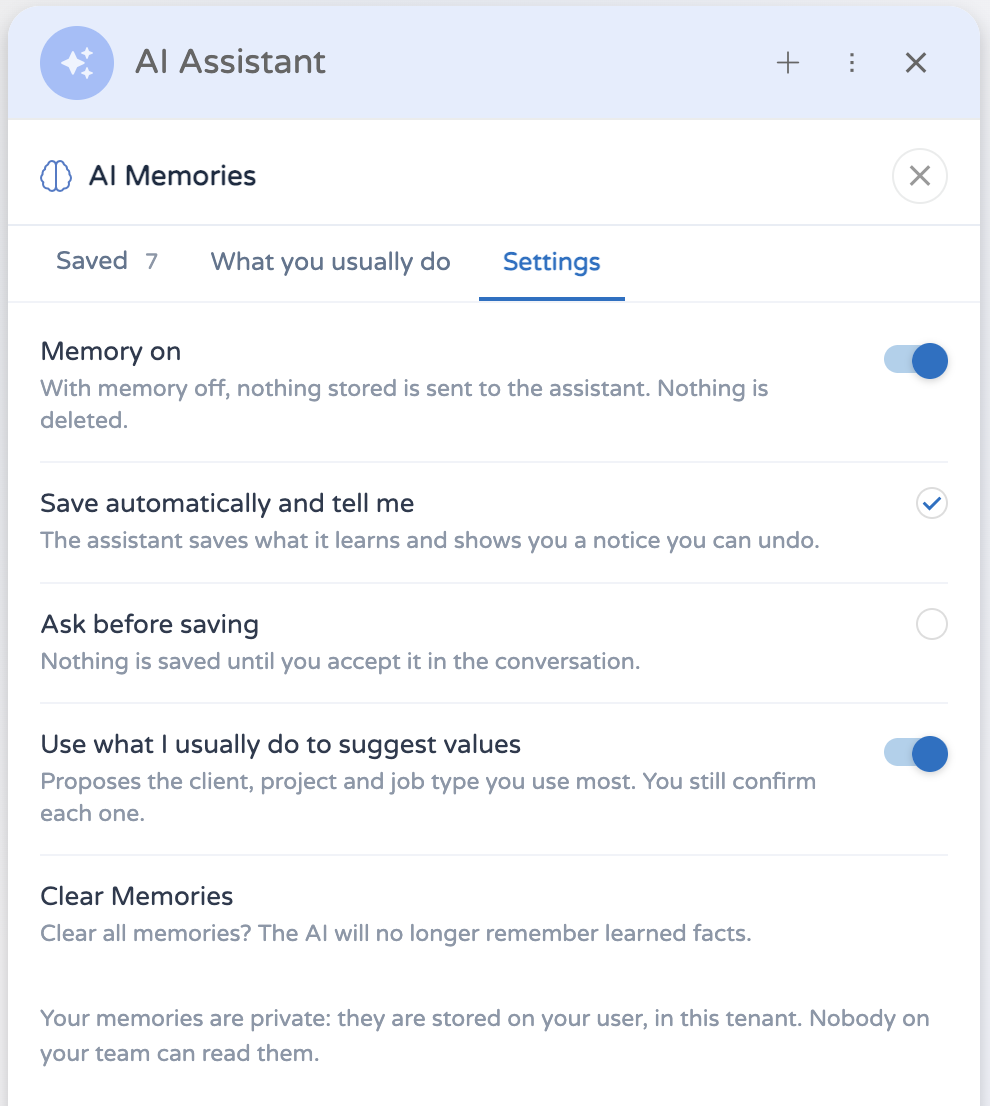
| Setting | What it does |
|---|---|
| Memory on | Master switch. With memory off nothing stored reaches the assistant, and nothing new is saved. Nothing is deleted. |
| Save automatically and tell me | The assistant saves what it learns as it goes, and never hides that it is remembering. This is the default. Everything it saved is on the Saved tab, where you can switch it off or delete it. |
| Ask before saving | Nothing is saved until you agree to that specific thing in the conversation. |
| Use what I usually do to suggest values | Lets the counted entities above propose the client, project and job type while you create a document. You still confirm each one. |
Clear All empties both the saved list and the counts. Your settings are left as they are.
With memory switched off you can still edit and delete what is stored. Turning it off never leaves Clear All as the only way to change the store.
How the assistant uses a memory
A remembered value is a suggestion, never a decision you made. When the assistant fills a field from one, the field stays open: the remembered value arrives at the top of the choice list, and the request does not reach the approval card until you pick it.
Memories hold names, not record IDs. The assistant looks the name up against real data before it uses it.
A remembered project or job type is only offered once its client or department is settled. Until then you get the full list, scoped correctly.
Rules and behaviour
- The saved list holds at most 100 entries. Pinned memories and memories you wrote yourself are never removed to make room; once those alone fill the list, the assistant tells you it could not save a new one.
- Up to 25 entities are counted per field.
- Something the assistant inferred rather than being told expires after 90 days. Pinning it, editing it or confirming it keeps it. Counted entities never expire; using one again refreshes it.
- Memories are per user and per tenant. Two people never share one, and the same person's memories do not travel between tenants.
- Every agent honours your memories, including the ones your agency builds. Adding to the store is a tool: only agents granted it can write. See Tools.
- Switching memory off leaves everything in place. Switch it back on and the assistant picks up where it was.