Collect Requests With a Form
Preview
This is not available yet. The example below was built with the connector on a demo tenant to show how it is expected to work, and the finished feature may differ.
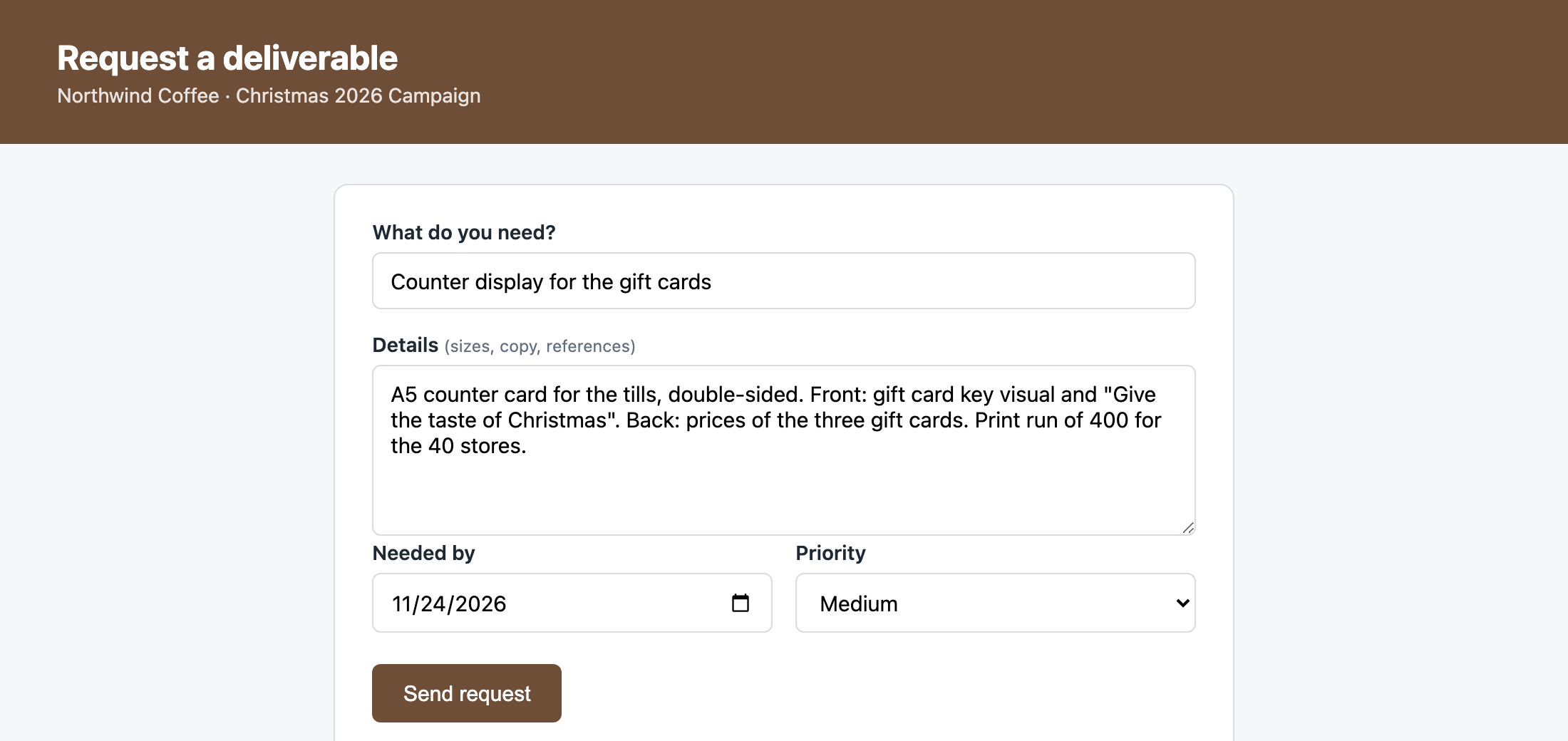
Replace the request emails with a form. The client's marketing team says what they need, the details and the date, and the request arrives in Skills Workflow as a job in the campaign's project, ready for traffic to pick up.
Expected behaviour
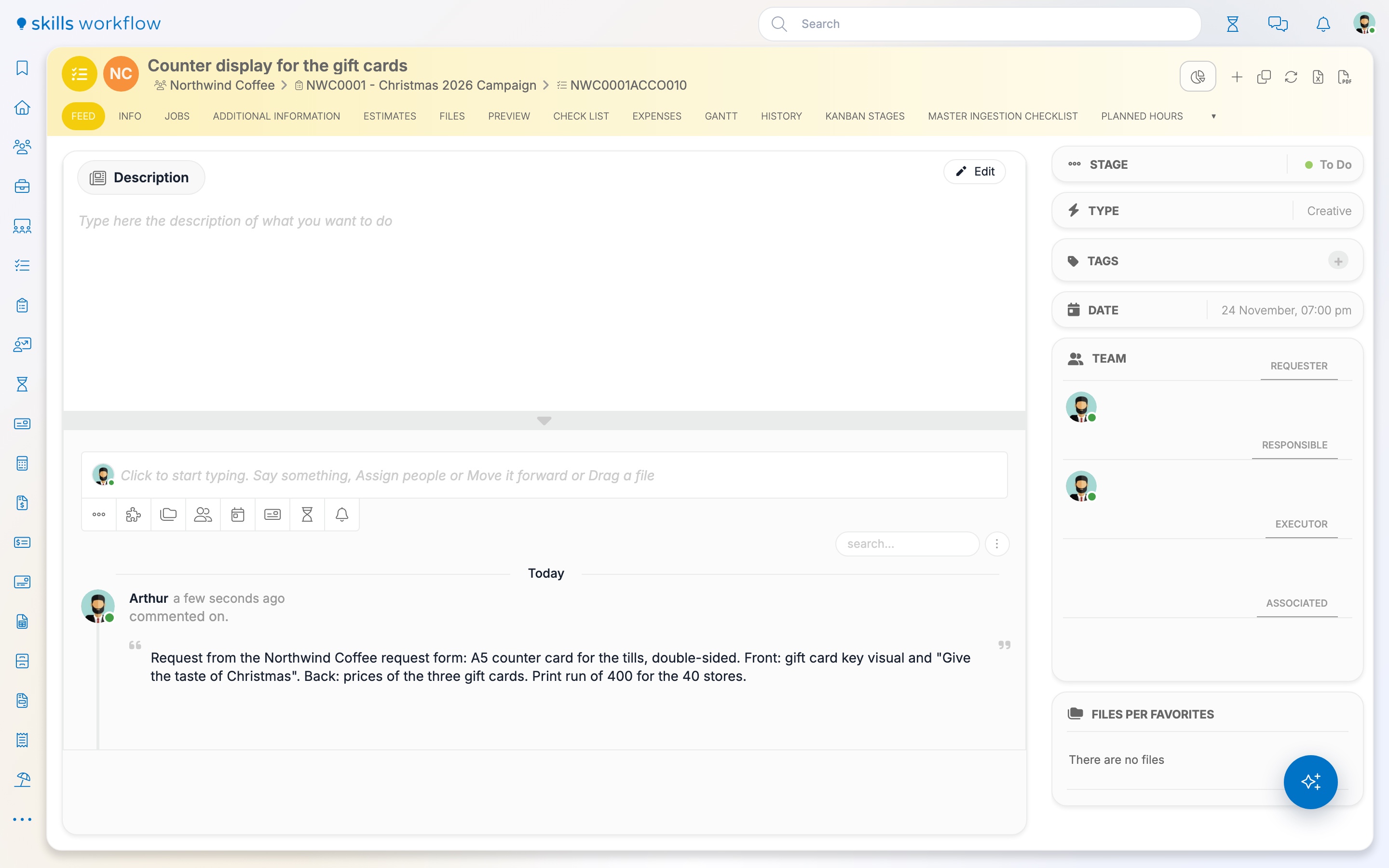
- Each request creates a job in the project the form belongs to. The department and the job type are the ones the agency chose when the form was built.
- The name, the date and the priority come from the form. The details are posted to the job's feed.
- The job moves out of Draft to the first stage of its workflow, the way it would when created in Skills Workflow.
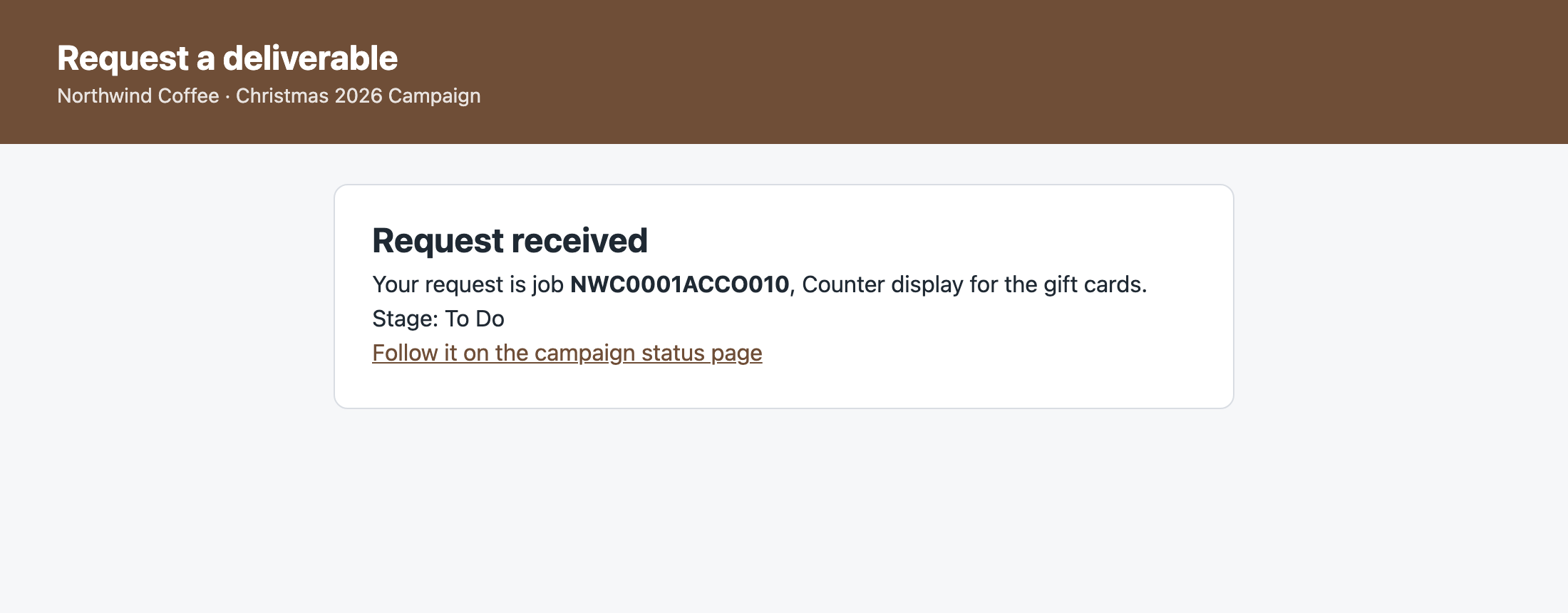
- The person who sends the form sees the job number and can follow the job on the client's status page.
Rules and behaviour
- Whoever fills in the form signs in to Skills Workflow. The job is created as them, with their permissions, and a person who may not create jobs in the project gets a message saying so.
- A form for people without a Skills Workflow user is not part of this example.