Print or Send a Report as It Stands Today
Preview
This is not available yet. The example below was built with the connector on a demo tenant to show how it is expected to work, and the finished feature may differ.
Some reports are meant to leave Skills Workflow: the monthly status report attached to an email to the client, the end-of-campaign summary for their procurement team, the figures for a board meeting. Ask your AI tool for a report laid out for paper. Open it on the day you need it, select Print or save as PDF, and send the copy. The copy keeps the figures and the date of that moment.
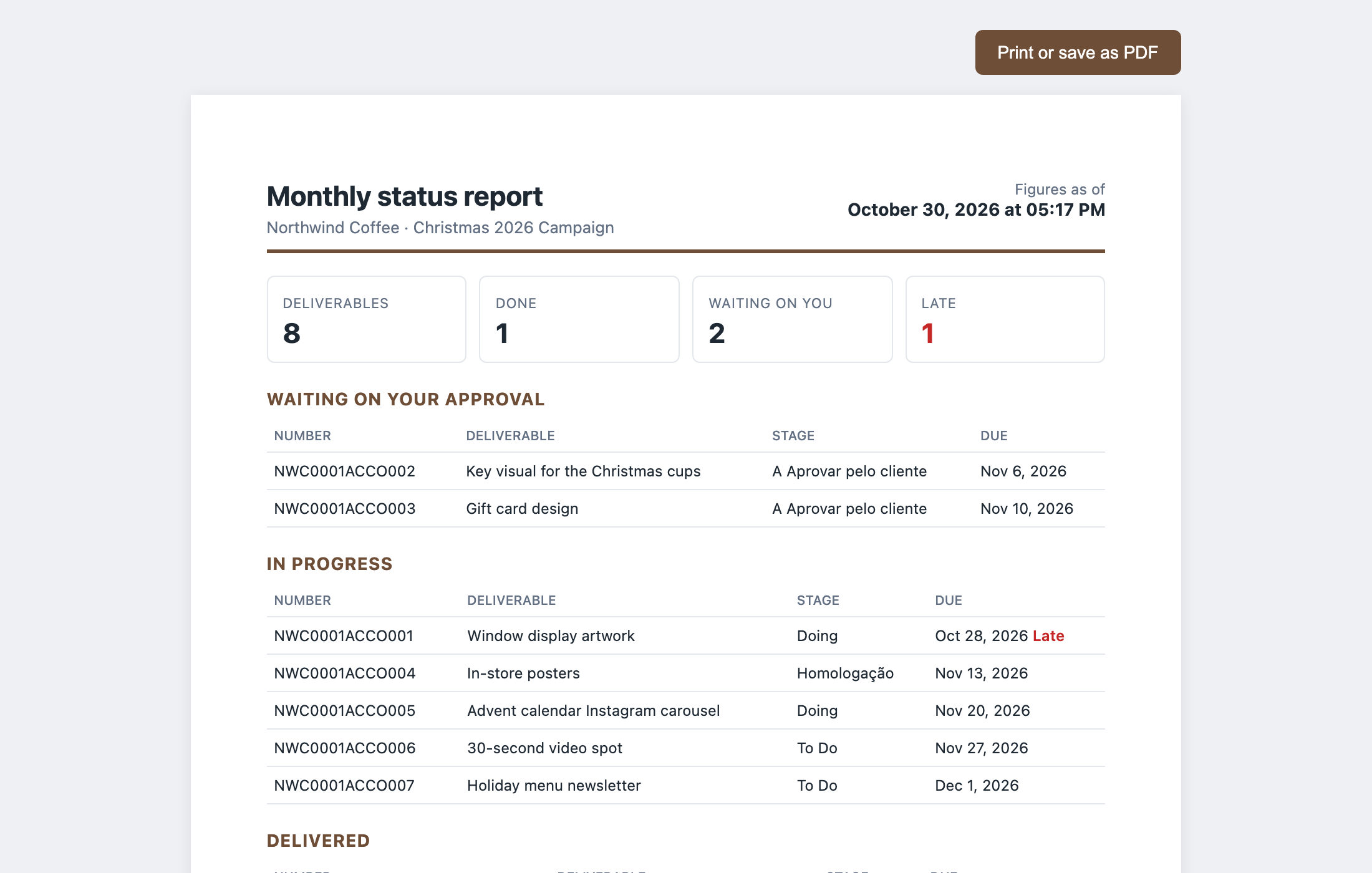
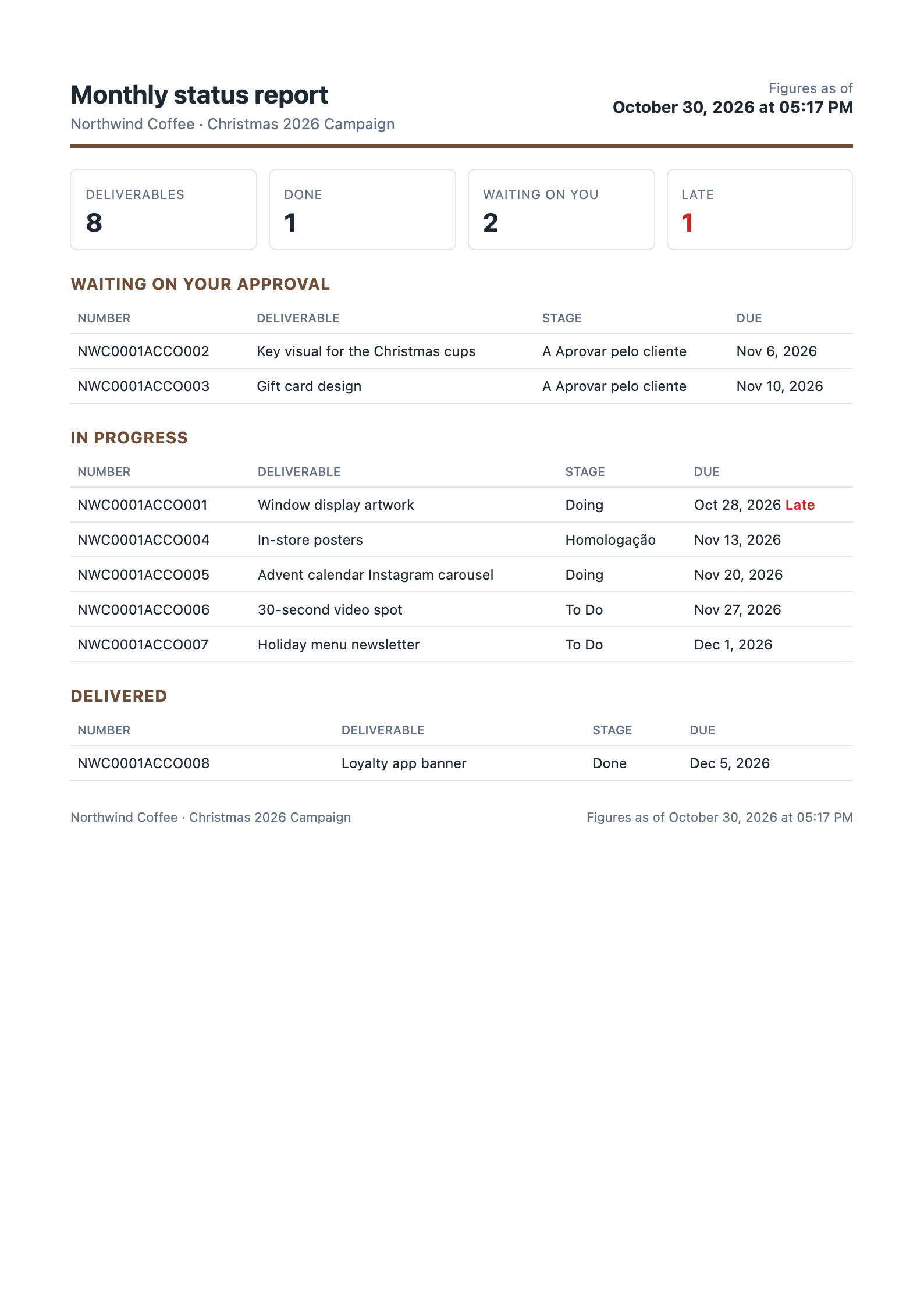
Expected behaviour
- The report is published at its own address and reads live data every time it opens.
- It is laid out for A4. On paper and in the PDF, the buttons disappear and the date and time of the figures appear on the page.
- The PDF is saved from the browser's own print dialog. It leaves Skills Workflow with you, and the person you send it to needs no Skills Workflow user.
- In the example, the report reads the
DE-Jobsquery for one client and one project, and groups the deliverables into waiting on approval, in progress and delivered.
Keeping a dated copy of the report inside Skills Workflow is not part of this example.
Rules and behaviour
- The report on screen always shows today's figures. Only the printed or saved copy is fixed.
- Permissions no longer apply to a PDF once it is sent. Check what it shows before it leaves the agency.