Available notifications
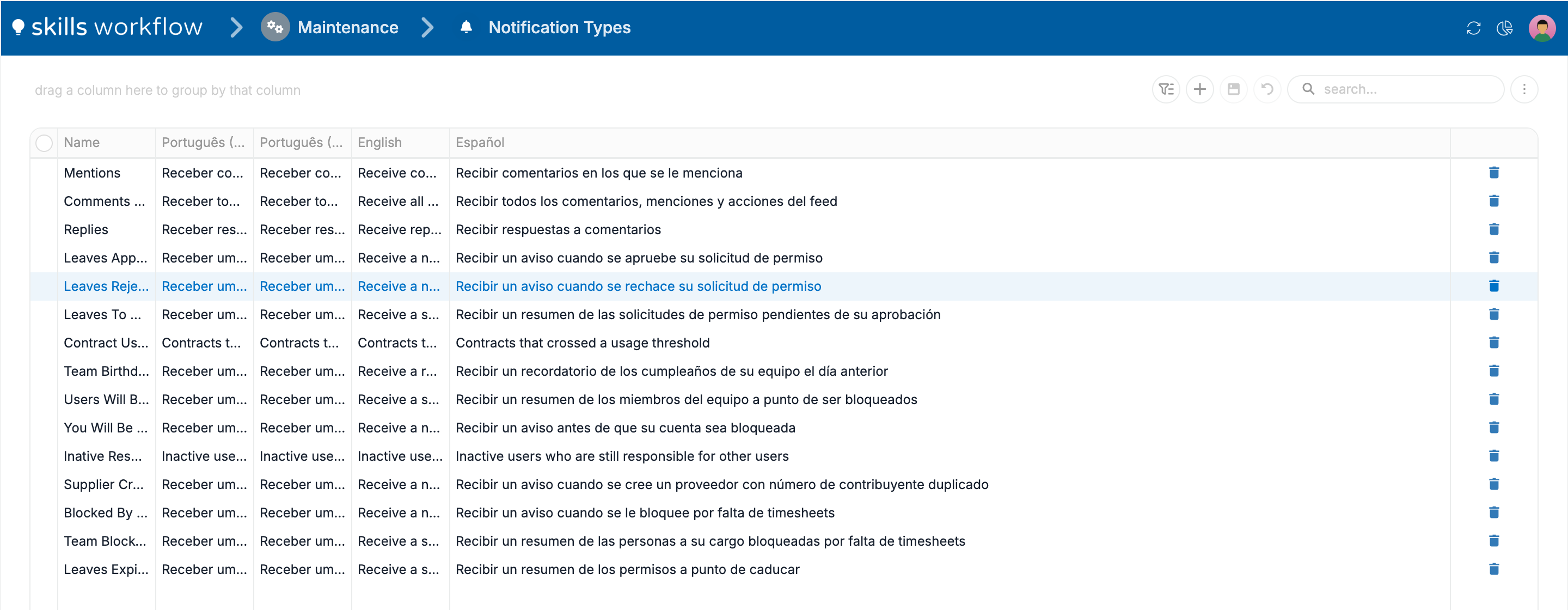
The notification types below are available in the Marketplace for tenants that use the notifications service. Each type is sent either by an event, the moment something happens on a document, or by a schedule, as a check that runs on a regular basis. The names are the ones shown in Maintenance → Notification Types; the descriptions are the ones people see in their preferences.
Notification types
| Notification type | Description in the preferences | Sent by | Who receives it |
|---|---|---|---|
| Mentions | Receive comments that mention you | Event: a comment is posted on a document | The person mentioned |
| Comments and Mentions | Receive all comments, mentions, and feed actions | Event: a comment or another action is posted on the document's feed | The people in the document's team |
| Replies | Receive replies to comments | Event: a reply is posted to a comment | The people in the document's team |
| Leaves Approved | Receive a notice when your leave request is approved | Event: a leave request is approved | The person who requested the leave |
| Leaves Rejected | Receive a notice when your leave request is rejected | Event: a leave request is rejected | The person who requested the leave |
| Leaves To Approve | Receive a summary of leave requests waiting for your approval | Schedule | The people who approve leaves |
| Contract Usage Alert | Contracts that crossed a usage threshold | Schedule | The recipients set in its automation |
| Team Birthdays | Receive a reminder of your team's birthdays the day before | Schedule | The people whose team has a birthday the next day |
| Users Will Be Blocked | Receive a summary of team members about to be blocked | Schedule | The people responsible for those team members |
| You Will Be Blocked | Receive a notice before your account is blocked | Schedule | The person about to be blocked |
| Inative Responsables | Inactive users who are still responsible for other users | Schedule | The recipients set in its automation |
| Supplier Created | Receive a notice when a supplier is created with a duplicate taxpayer number | Event: a supplier is created with a taxpayer number that already exists | Users with the SupplierRead role |
Rules and behaviour
- No one receives a type until their preferences select at least one channel for it. See Choose the notifications you receive.
- The author of a comment is never notified about it.
- Mentions are delivered only while Receive documents notifications is on for the person mentioned.
- A type installed from the Marketplace does nothing on its own. Its automation, and for event types its webhook, must be installed and active. See Set up notifications.
Configuration
Notification types are managed in Maintenance → Notification Types. Each type has a name and a description per language; the description is the text shown in the preferences of each user. Types are installed from the Marketplace together with the automations that send them.