Maintenance
Overview
Maintenance is the back-office module where administrators and consultants configure Skills Workflow: organisation structure, permissions, pricing, workflow stages, screens, integrations and other reference data. The Maintenance catalogue organises every configuration entry into areas, so a specific screen can be found by browsing its area or by searching for it directly, instead of scrolling a single long menu.
Accessing Maintenance
- Click your user avatar in the top-right corner of the main menu.
- Select Maintenance.
How to use the catalogue
Browse by area
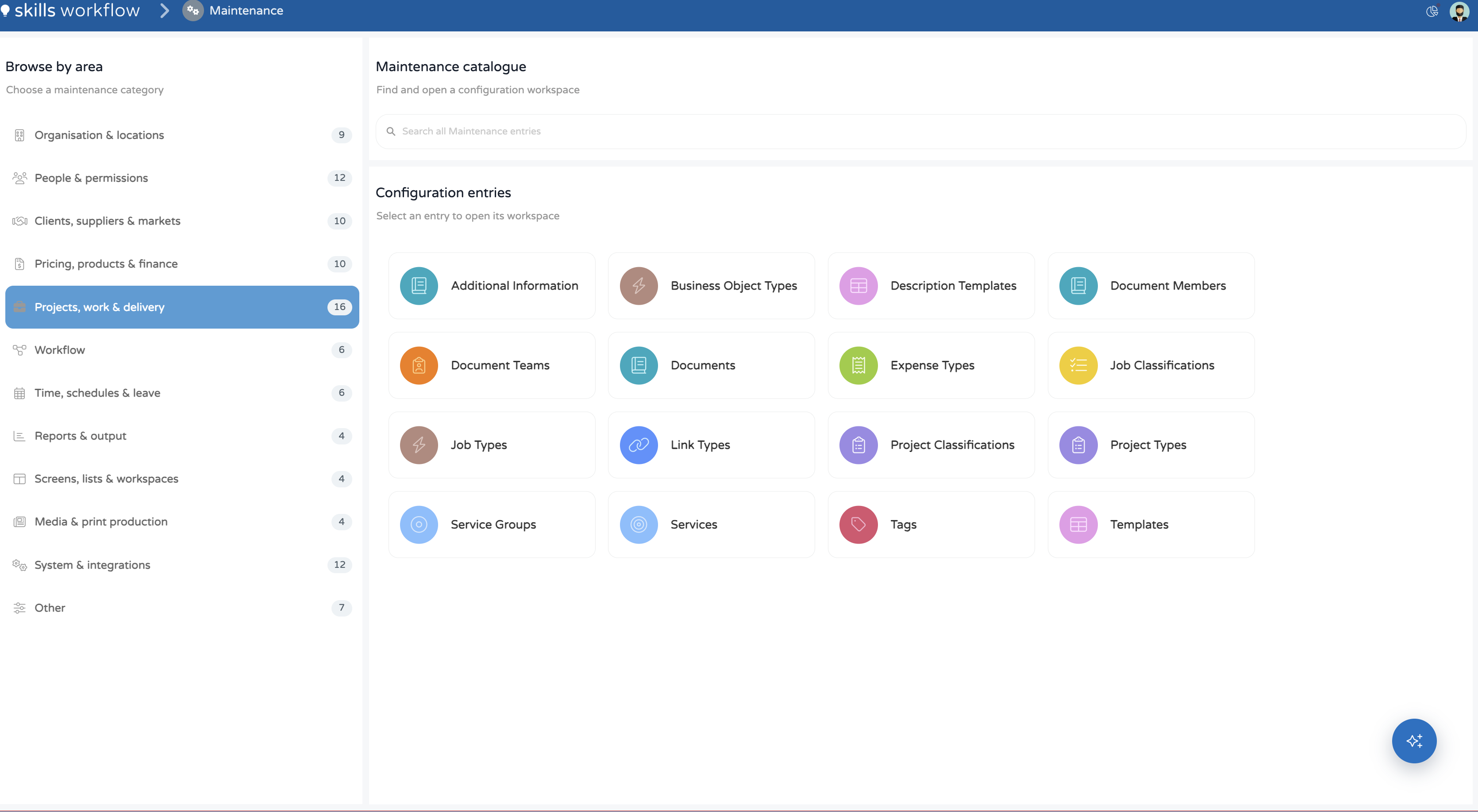
The Browse by area panel on the left lists every maintenance category, each with a count of the configuration entries it holds. Selecting a category loads its entries under Configuration entries. See Areas in the Maintenance catalogue for the full list.
Search all entries
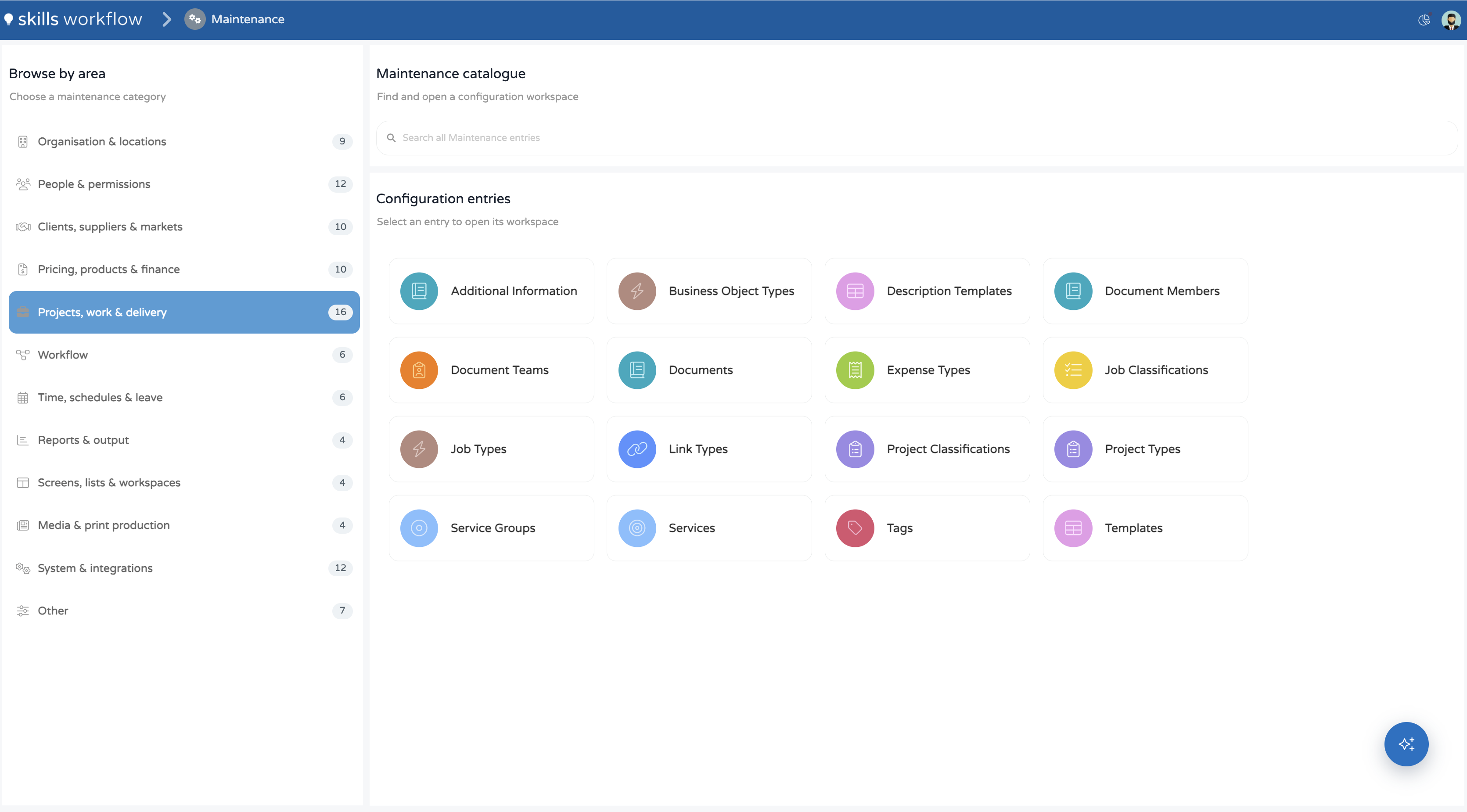
The Search all Maintenance entries field matches across every area at once, not only the selected one. Each result shows the area it belongs to, so an entry can be opened without knowing its category first.
Open a configuration workspace
Selecting a card under Configuration entries opens that entry's configuration workspace:
- A data grid lists the entry's records, with controls to add a record, filter, search within the grid, and group rows by a column.
- The row count is shown at the bottom of the grid.
- Selecting a row opens a record panel with that record's fields.
- Changes are saved from the record panel.
- The panel's previous and next controls step through the grid's records without closing the panel.
Areas in the Maintenance catalogue
| Area | Entries | Configuration entries |
|---|---|---|
| Organisation & locations | 9 | Cities, Companies, Countries, Departments, Disciplines, Divisions, Idiom Groups, Idioms, Languages |
| People & permissions | 12 | Achievements, Employees, Roles, Teams, Typologies, Typology Groups, User Types, User Typology History, Users, Users and Clients, Users Last Login, Users Responsibility Chain |
| Clients, suppliers & markets | 10 | Billing Clients, Brands, Client Classification, Client Groups, Clients, Commercial Product Companies, Market Groups, Markets, Sectors, Suppliers |
| Pricing, products & finance | 10 | Accounts, Billing Products, Commercial Payment Conditions, Currencies, Payment Conditions, Price Table Columns, Price Tables, Products, Rate Card Columns, Rate Cards |
| Projects, work & delivery | 16 | Additional Information, Business Object Types, Description Templates, Document Members, Document Teams, Documents, Expense Types, Job Classifications, Job Types, Link Types, Project Classifications, Project Types, Service Groups, Services, Tags, Templates |
| Workflow | 6 | Custom Actions, Stage Types, Stages, Transitions, Workflow Management, Workflows |
| Time, schedules & leave | 6 | Holiday, Leave Infos, Leave Types, Schedules, Shifts, Work Types |
| Reports & output | 4 | Printing Layouts, Queries, Query Preview, Reports |
| Screens, lists & workspaces | 4 | List Definitions, Panels, Views, Workspaces |
| Media & print production | 4 | Print Size Units, Print Sizes, Publications, Publishers |
| System & integrations | 12 | AI Skills, Automations, Configuration, Custom Tables, Environment, Integration Logs, Integrators, Marketplace, Notification Types, SSO, System Parameters, Webhooks |
| Other | 7 | Chat GPT, Copilot Chat, File System, Marketplace v2, Projects with Inactive Products, Usage Metrics, and other entries not grouped under another area |
Entries without a link are not yet covered by a dedicated article. The "Other" area can also hold entries that are specific to a tenant.