Monitor and troubleshoot notifications
When a notification does not arrive, follow it back the way it was sent: the user's preferences, the automation that sent it and, for notifications sent by an event, the webhook that ran the automation.
Check whether the webhook ran
- Go to Maintenance → Webhooks and open the webhook.
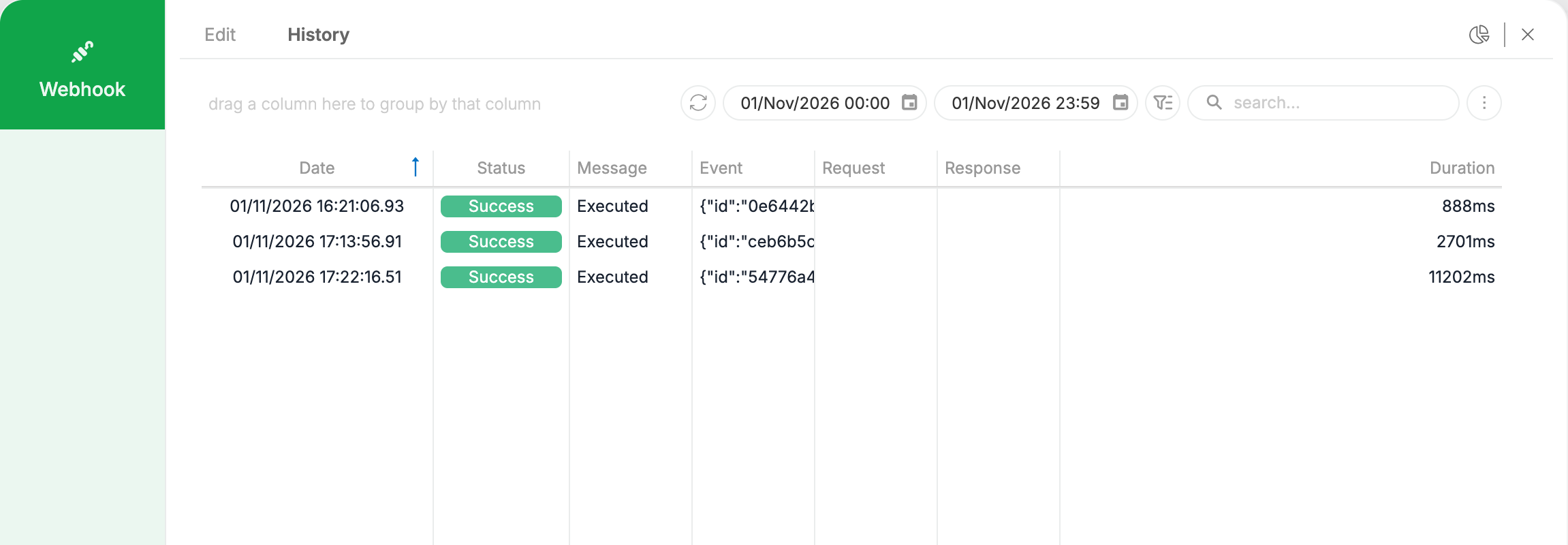
- Open the History tab and set the date range.
Each run shows the Date, the Status, a Message, the Event received, the Request, the Response and the Duration. No row for the moment of the event means the webhook did not run: check that it is Active and that its Filters match the event.
Check what the automation did
In Maintenance → Automations, the Actions column of each automation has:
- ▷, which runs the automation now;
- ↺, which opens its history.
The history groups the logs by execution, with the start time and the number of entries. Expand an execution to see each step, with its Status, Logged On, Progress and Content, and the step where it stopped when it failed.
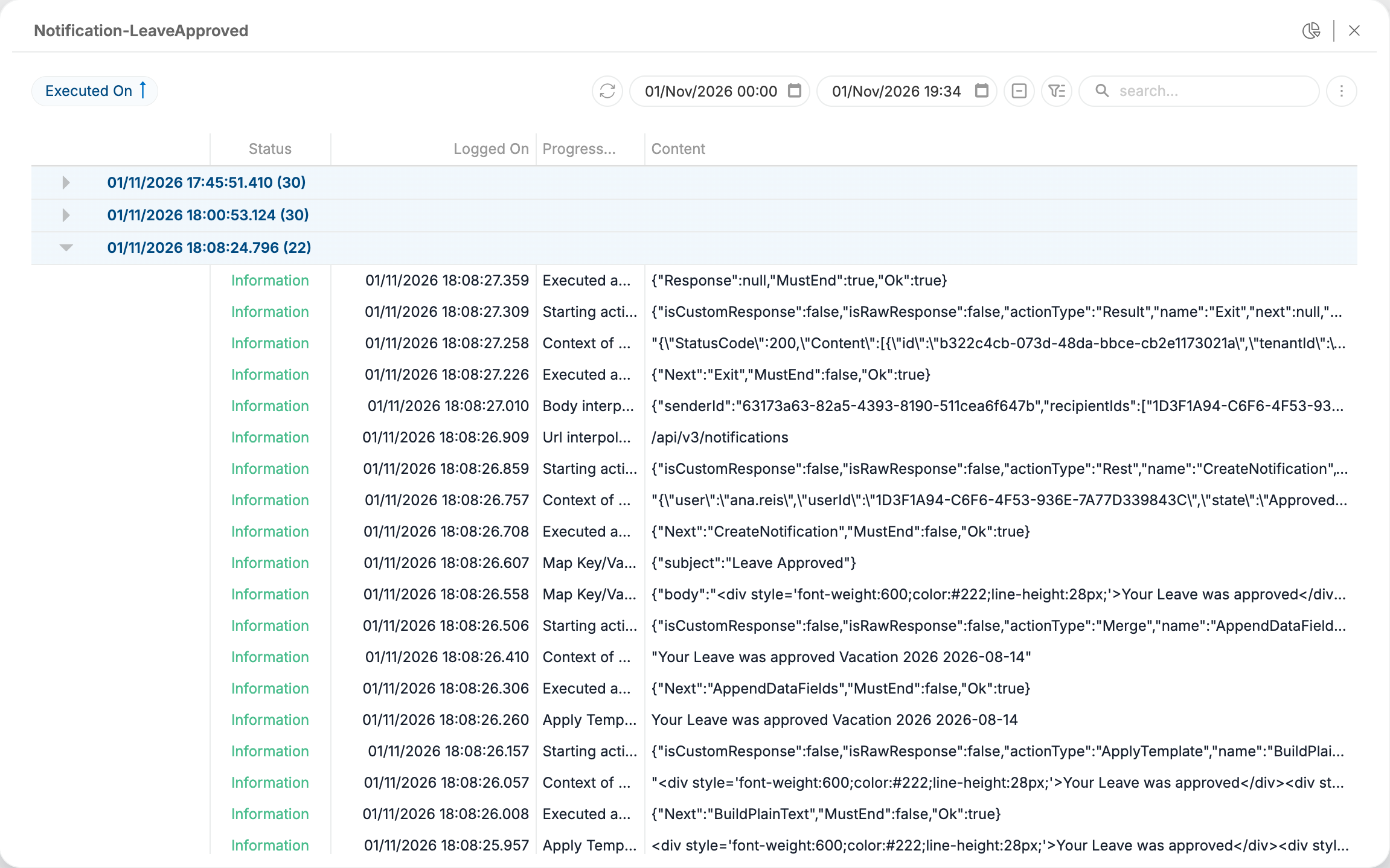
The steps are logged according to the Logging level of the automation. Set it to Info to see every step. At Error, a successful execution leaves no entries.
Common problems
| What happens | What to check |
|---|---|
| The notification is in the panel but no email arrives | Email is not selected for that notification type, or the user has no email address. |
| The email arrives but the notification is not in the panel | Web is not selected for that notification type. |
| A mention is not received | Receive documents notifications is off for the person mentioned, or Mentions has no channel selected. |
| A person is not notified about their own comment | Expected: authors are never notified about their own comments. |
| Nothing happens for an event | The webhook is inactive, its Filters exclude the event, or the automation failed. Check the webhook History, then the automation history. |
| A scheduled notification never arrives | The automation has no active schedule in the Scheduler column, or it is not Active. |
| No user receives any notification | Use Notifications Service is off in Maintenance → Configuration → Notification, or no user has preferences selected. |