Quotes
The Quotes tab of an estimate is where you build and price the quote: its deliverables and, inside each one, the services, expenses and resources behind its cost and sell. Totals and margins update as you type. Nothing is stored until you click Save.
Opening the quote
Open an estimate and select the Quotes tab.
What you can see and change follows your permissions on the estimate. A column you have no access to is not shown, and an estimate that is blocked opens read-only.
The layout
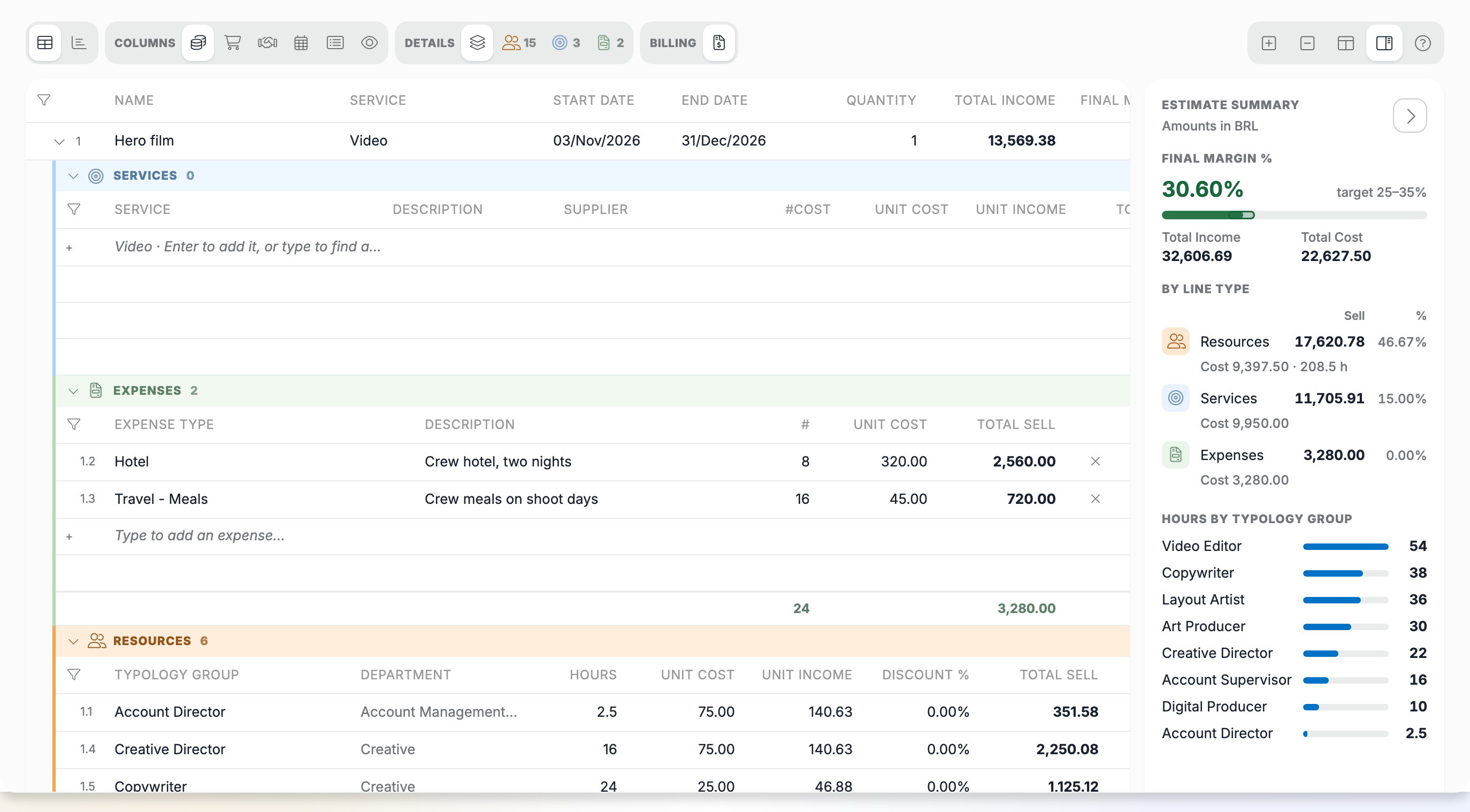
The grid has one row per deliverable. The arrow on a deliverable opens its lines, grouped in three sections:
- Services: third-party costs, bought from a supplier.
- Expenses: costs such as hotels, meals or travel.
- Resources: internal hours, by typology group or user.
Each section header opens or closes that section. Expand all and Collapse all open or close every deliverable at once.
Editor and Overview switch between the grid and a summary of what has been billed and ordered. See Overview.
The Estimate summary on the right shows the totals, the final margin against its target, and a Check before sending list. See Prices and margins.
When the estimate has several versions, the version buttons open the older ones, read-only.
The toolbar
The buttons at the top of the estimate act on the whole quote:
| Button | What it does |
|---|---|
| Save | Stores every change |
| Undo the changes | Discards every change since the last save |
| Approve all / Disapprove all | Approves or disapproves every line |
| Apply table rates | Re-prices the resource lines from the rate card |
| Export to Excel / Import from Excel | Work on the quote in a spreadsheet |
| Refresh | Reloads the quote |
Without permission to edit the quote, only Export to Excel and Refresh are shown. Apply table rates also needs a Rate Card and a Rate Card Column on the estimate, and permission to change rate cards.
Help in the page
The ? button opens Help, with the keyboard shortcuts. Open the documentation opens these pages in a new tab. The full list is in Keyboard shortcuts.