Build a quote
A quote is a list of deliverables. Each deliverable holds the services, expenses and resources that make up its cost and sell.
Adding deliverables and lines
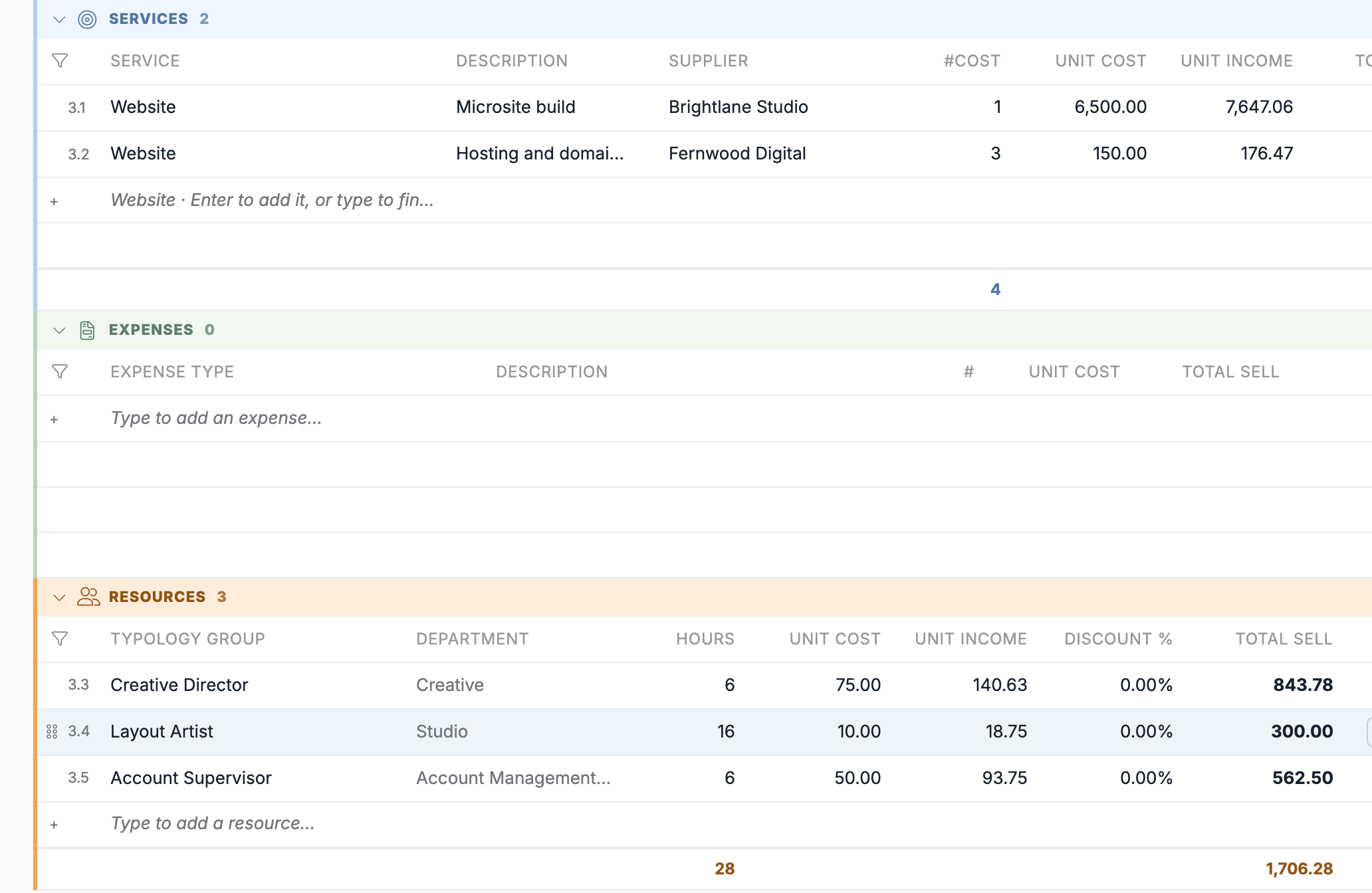
Every list ends with an empty row: Type to add a deliverable…, Type to add a third-party service…, Type to add an expense… or Type to add a resource…. Start typing in that row to create the deliverable or line.
A new deliverable takes the estimate's default Tax. Its Start Date and End Date are the estimate's date and expiration date.
In Services, the empty row suggests the deliverable's own service. Press Enter to add it. A line on the deliverable's service takes the deliverable's description.
Adding several roles at once
In Resources, the Typology Group list searches any part of the role, the department or the company. Tick several typology groups with their boxes or with Ctrl+Enter (⌘+Enter on macOS), then press Enter or click Add. Each one becomes a resource line.
Editing cells
Select a cell and type, or press Enter or F2. Enter keeps the value and moves down. Esc cancels the edit.
Shift+Enter opens the description in a larger box.
In a list cell, the list opens as you type. Use ↑ and ↓ to choose and Enter to pick.
Copying, pasting and filling
Ctrl+CandCtrl+Vcopy and paste cells, also to and from Excel. Pasting into the empty rows adds lines.Shiftwith the arrows, orShift+click, selects several cells.Ctrl+Dfills them down from the first selected row.Alt+Ccopies the selected rows andAlt+Vpastes them as new rows, also into another estimate. The same options are in the right-click menu.Deleteclears the selected cells.
On macOS, use ⌘ in place of Ctrl.
Moving and removing rows
Drag a deliverable or a line by its handle, or press Ctrl+Shift+↑ or ↓. A new line moves once it is saved. While a list is sorted or filtered, its rows stay in place.
Ctrl+Backspace (⌘+⌫ on macOS) removes the row, and pressing it again restores it. The row is deleted when you save. A deliverable that has lines, or that has been billed, cannot be removed.
Required fields
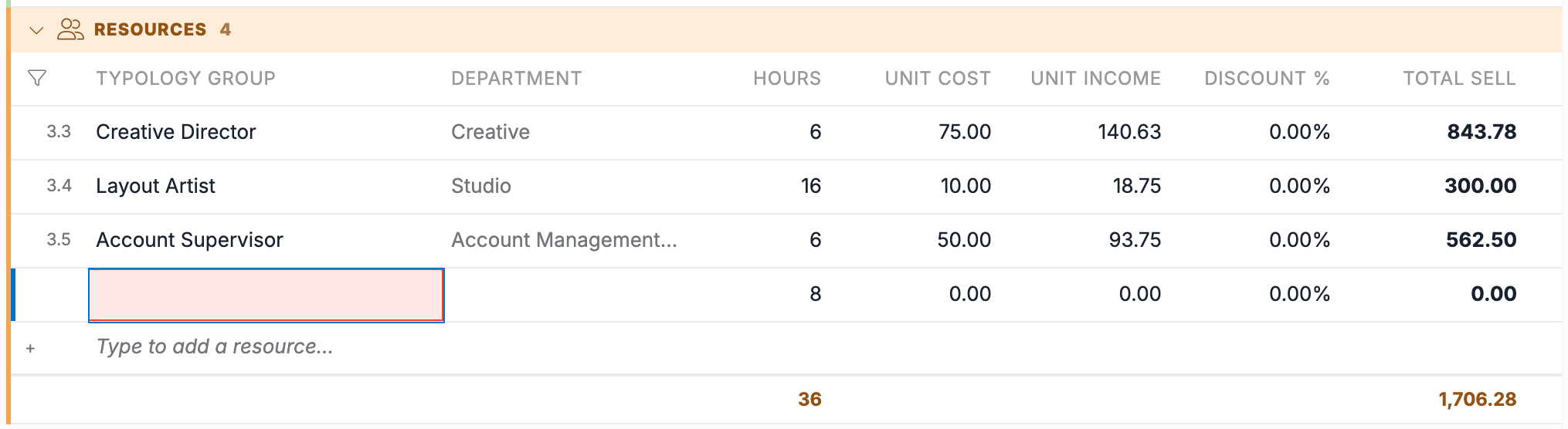
A cell tinted light yellow is required and still empty.
When you save with a required field empty, the save stops. The page lists what is missing, turns those cells red, opens the deliverable and the section, and moves to the first one.